

Feature
Hippo AI
Ask your own data in plain language, get an instant answer.
Last updated: August 17, 2026
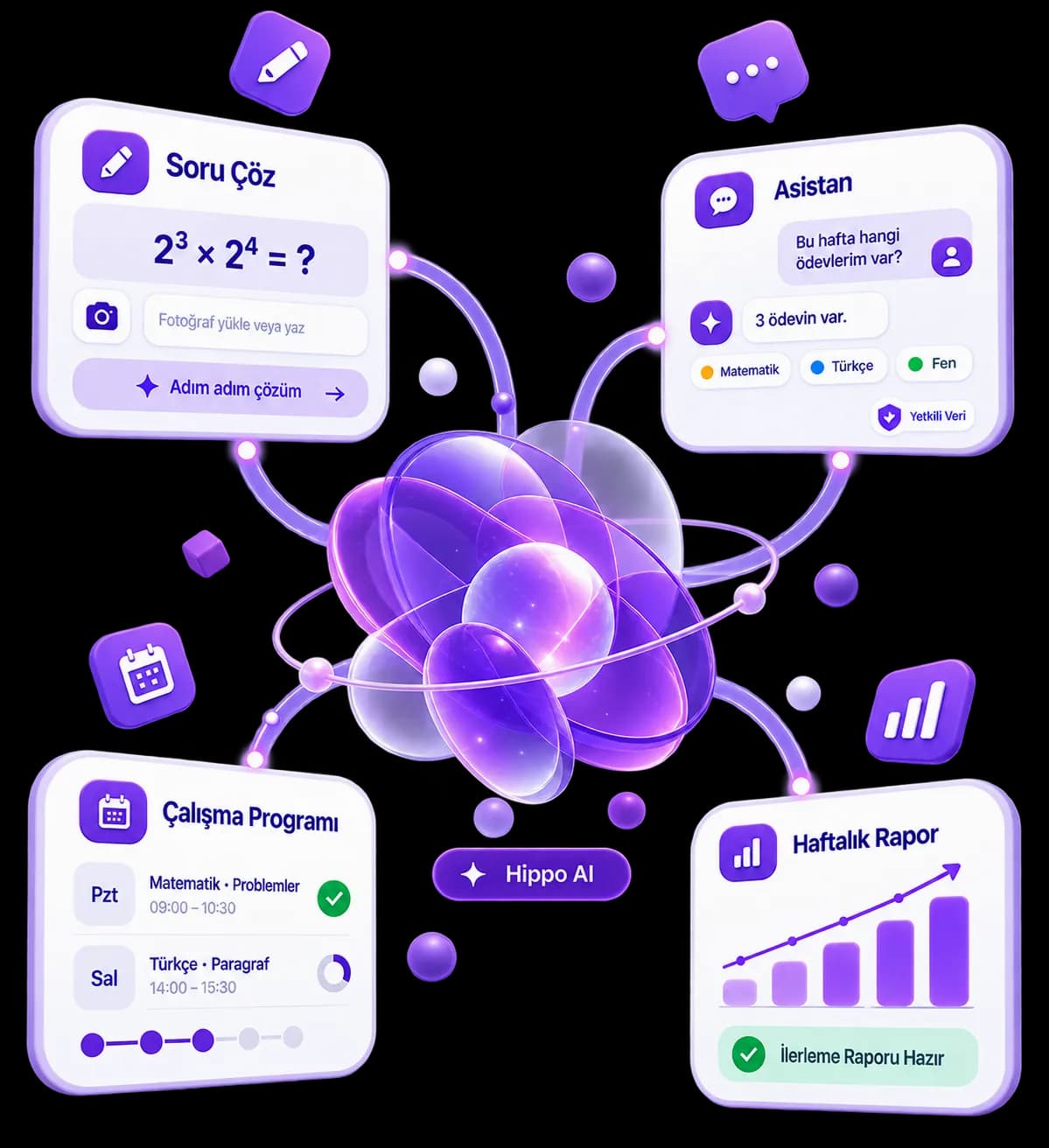
You can ask Hippo AI natural-language questions like what assignments you have this week or which topics you're weakest in, and the assistant only answers using data within your own access permissions. Send the question you're stuck on as a photo or as typed text, and get an instant visual or text-based solution from the AI. Hippo AI isn't actually a single feature, it spans several distinct AI surfaces: question solving, study programme creation, weekly progress reports and a messaging assistant.
Live preview
Hippo AI is not a single screen; it is four surfaces that live in different places in the product. Try all four in the same window: the AI solution inside Ask a Question, the assistant inside Messages, the AI study plan in the coach panel, and the weekly AI report.
IMG_2481.jpg
Handwriting is read too
A bacterial colony doubles every 20 minutes. A culture starts with 2³ bacteria — how many will there be after 2 hours? Also express the result as a power.
AI answer style
Solution depth
Output format
The style you pick is passed to the AI as an instruction while it writes the solution. The output format matters most on maths and physics questions.
Subject
Maths
Topic
Exponential expressions
Used today: 0/5 AI questions
The daily AI question allowance depends on the tier: 5 by default, 15 on Elite. When it runs out you can still send the question — a teacher answers it instead of the AI.
The solution will appear here. Send the question and Hippo AI answers within seconds.
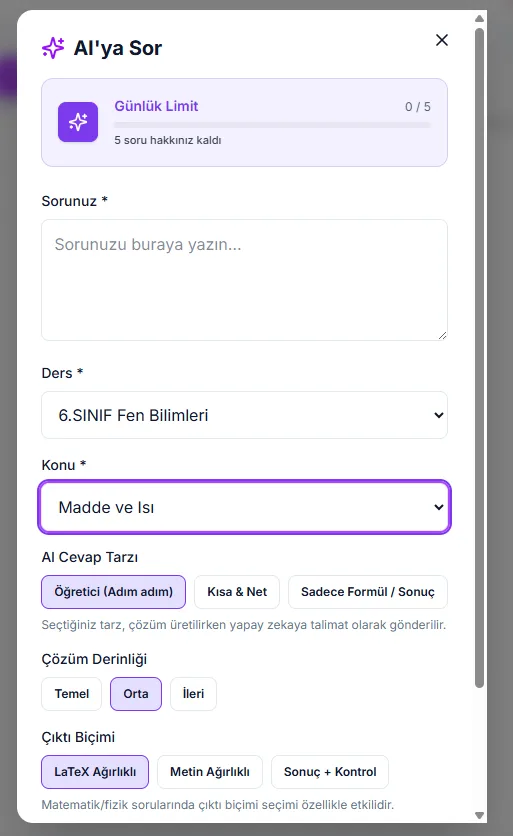
Mind the naming: the "Ask a Question" screen in the menu offers two paths — ask the AI (subject to the daily allowance) or send it to your teacher (where it lands in the teacher-side "Question Solving" queue). The Hippo AI assistant lives somewhere else entirely, inside Messages. This demo gathers all four in one window; in the product they are four separate surfaces.
How it works
Send the Question
Send Hippo AI the question you're stuck on, either as a photo or as typed text.
AI Evaluates It
Photo-based questions go to an AI that evaluates the text and image together; typed questions are processed directly.
Asks for Clarity When Needed
If the AI notices a question is incomplete or ambiguous, it asks you for more detail instead of guessing, reducing the risk of a misleading answer.
Get an Instant Answer
The result is delivered to you as a visual or text-based solution and counted against your daily question quota. The quota resets every day based on your institution's own timezone.
What it offers each role
Student
Sends the question they're stuck on to Hippo AI as a photo or typed text while studying, and gets an instant visual or text-based solution. Can ask the assistant natural-language questions like what assignments they have this week, and it answers using only data within their own access permissions.
Teacher
When a student runs out of AI allowance, or chooses to ask a person instead, the question lands in the teacher-side "Question Solving" queue and the teacher writes the solution there. In the coach panel the teacher reads the student's AI study programme and weekly AI report — generating that report is the student's call. AI and human support end up in the same flow.
- Several distinct AI surfaces, including question solving, study program creation, weekly progress reports and a messaging assistant, are brought together under one system.
- Photo-based question support: a photo of a handwritten or printed question can be sent, and the AI evaluates the text and image together.
- Typed questions get an instant text-based solution too.
- If the AI notices a question is ambiguous, it asks for more detail instead of guessing.
- Hippo AI only answers using data within your own access permissions, it never reaches beyond what you're allowed to see.
- The study program generator is tuned to reliably produce a complete plan based on your gaps and goals; if something goes wrong, the system automatically corrects itself and retries.
- The daily question quota resets every day based on your institution's timezone, with no unlimited tier offered.
- When a student's daily AI allowance runs out, the question is not lost: it moves to the teacher's "Question Solving" queue from the same screen.
Frequently asked questions
You can ask Hippo AI natural-language questions like what assignments you have this week or which topics you're weakest in, and it answers using only data within your own access permissions. You can also send a photo or typed text of a question you're stuck on and get an instant solution.
When you send a photo of a question you're stuck on, it's sent to an AI that evaluates the image together with any text. If the AI notices the question is ambiguous, it asks you for more detail instead of guessing, reducing the risk of a misleading answer.
Yes, there's a daily AI question quota, and there's no unlimited tier. This is a deliberate product decision for cost predictability, not a technical limitation. The quota resets every day based on the student's own institution timezone.
Hippo AI only answers using data within your own access permissions. For example, you can ask in natural language what assignments you have this week or which topics you're weakest in, and the assistant responds using only the data you're allowed to see.
The study program generator is tuned to reliably produce a complete plan based on your gaps, goals and calendar. If something goes wrong during generation, the system automatically notices, corrects itself, and retries, without you ever seeing the hiccup.
No. Hippo AI lives on four separate surfaces: the AI solution inside Ask a Question, the assistant inside Messages, the AI study programme in the coach panel, and the weekly AI report. Note that these four are not gathered into a single menu in the product; each sits inside its own module. Study programmes, weekly reports and score suestion generation, study program creation, weekly/monthly progress reports, a messaging assistant, and score recommendations.
Related features