

Feature
Packages and Billing
Hours delivered, hours left, and how much was collected.
Last updated: August 17, 2026
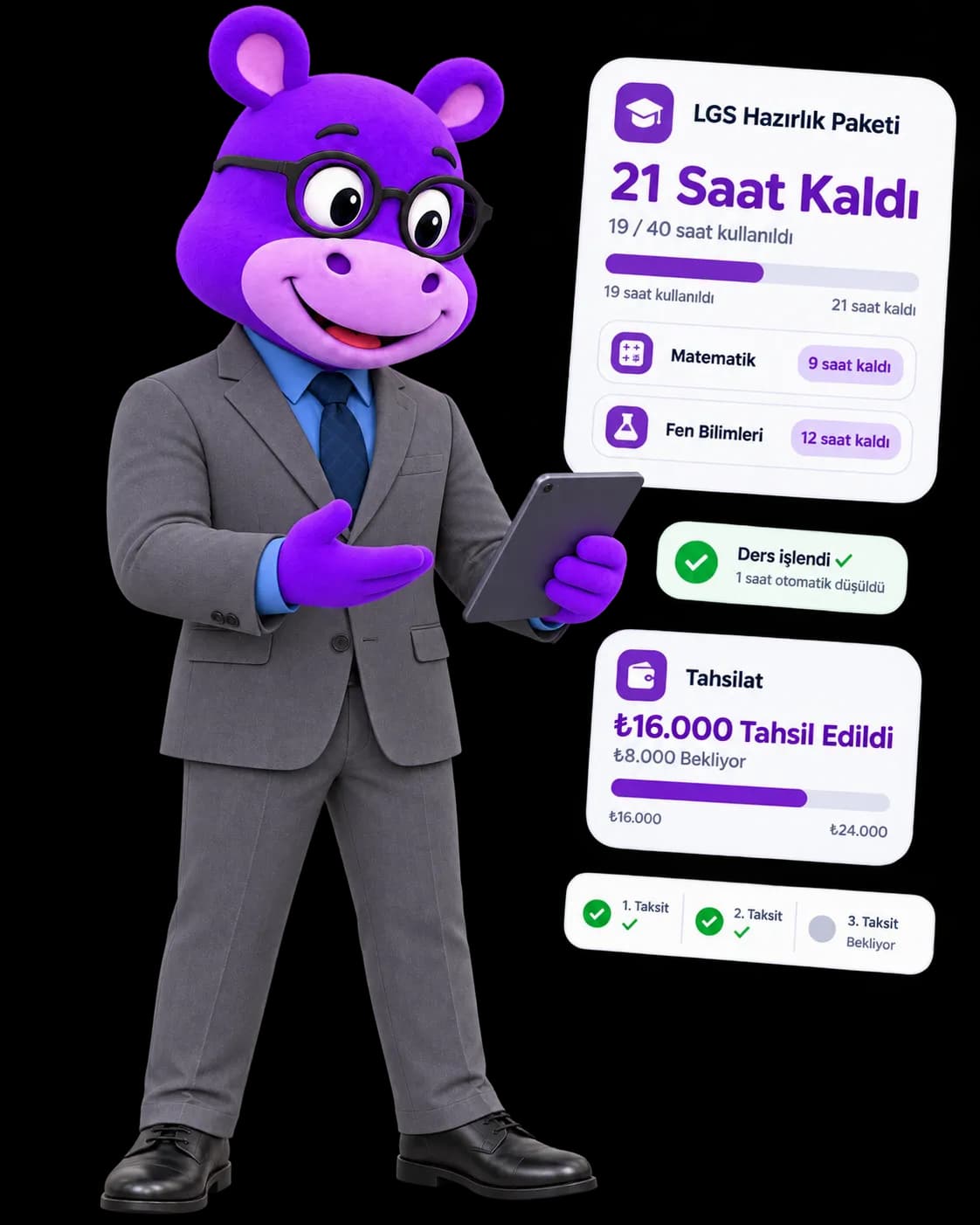
A lesson package is defined by subject, duration in hours and price, then assigned to a student. Consumption comes off automatically as lessons are delivered: used and remaining hours are kept both for the package as a whole and per subject, so you can see how many hours are left in each subject. On the billing side, instalments are defined with an amount and a due date, marked with a payment date once paid, and the pending and collected totals are gathered on the finance screen. For a private tutor these two things are the business itself: knowing how many hours you owe and how much has actually been collected. Winning new students hangs off the same place: approved teachers publish a listing on the Listings page, and parents filter by city, district, subject and delivery mode (online / in person) and compare on hourly rate.
Live preview
Deliver a lesson and watch the remaining hours come off that subject, then collect the pending instalment. Both counters live on the same student record.
LGS Preparation Package
Zeynep A. · 40 hours · ₺24,000
Consumption and tracking
- Maths15/24 hours delivered · 9 hours left
- Science4/16 hours delivered · 12 hours left
19 hours used across the package, 21 hours left. Because counters are kept per subject, a student taking two subjects never has the two balances confused.
Instalments
Collected: ₺16,000Pending: ₺8,000- Instalment 1₺8,000Paid
- Instalment 2₺8,000Paid
- Instalment 3₺8,000
Parents get automatic reminders as an instalment approaches and on its due date, and a confirmation once payment is received.
Step 1/3 · Inspect the package
Used and remaining hours are kept separately for each subject.
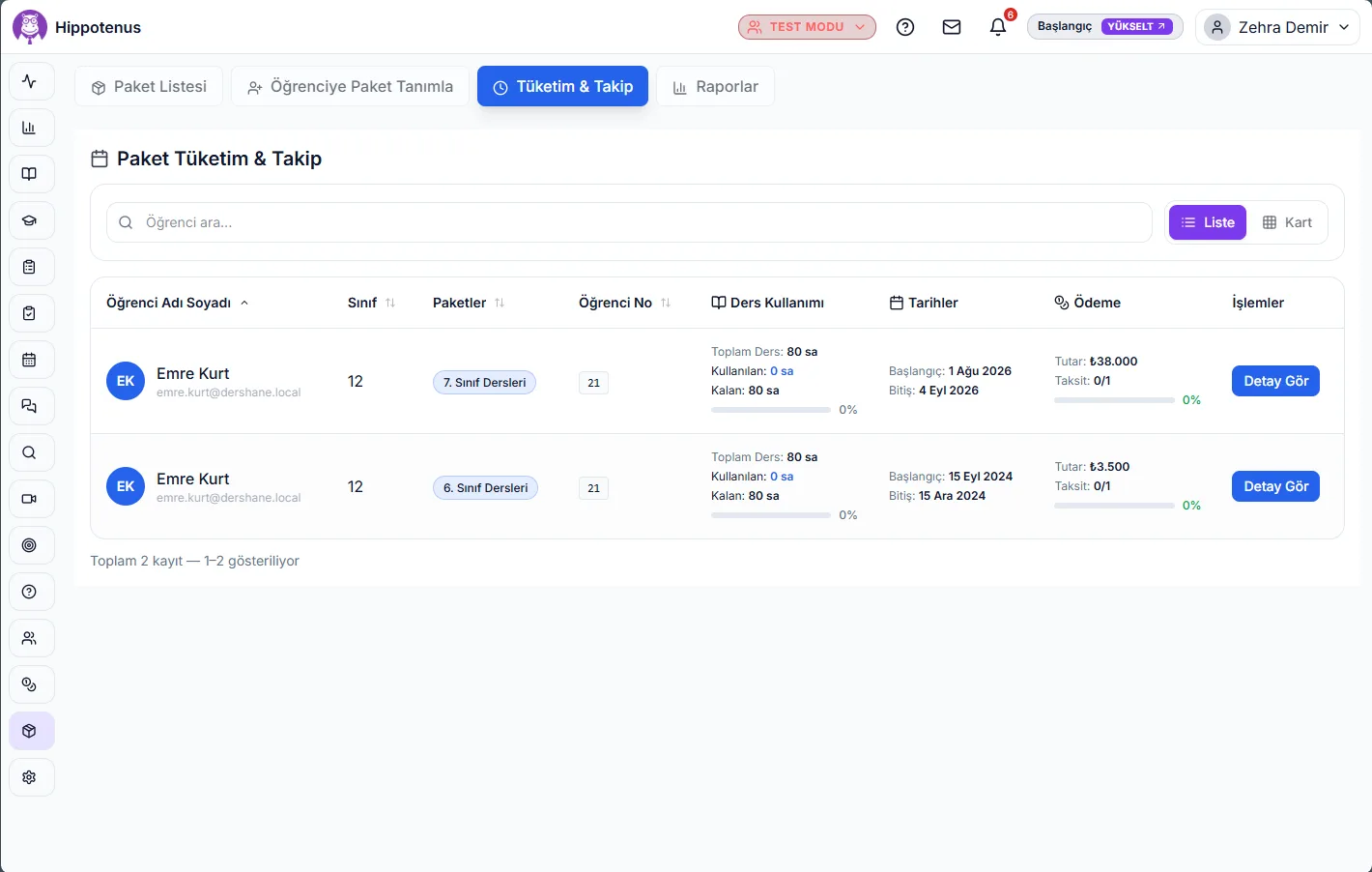
In the real product: package definitions, assignment to students, per-subject hour consumption, instalment plans, and a finance screen breaking pending and collected amounts down per student.
How it works
Define the package
A package is created with a name, a duration in hours and a price, then set to active. The same package can be assigned to more than one student.
Assign it to a student
The moment a package is assigned, remaining hours are set to the package duration and the student's entitlement per subject is recorded.
Consumption comes off automatically
Used hours rise and remaining hours fall as lessons are delivered. Counters are kept per subject, so a student taking two subjects never has the two balances confused.
Build the instalment plan
Each instalment is defined with an amount and a due date. Parents get automatic reminders as a due date approaches and on the day it falls due.
Record and watch collection
When payment arrives the instalment is stamped with its payment date and method (card terminal, for instance). The finance screen totals overall revenue, pending payments and collected amounts per student.
Reach new students
Approved teachers publish their own listing on the Listings page; parents filter by city, district, subject and delivery mode, then compare hourly rate and student rating.
What it offers each role
Teacher
Defines their own packages and assigns them to students; sees remaining lesson hours and uncollected instalments on one screen instead of holding it all in their head.
Administrator
Tracks institution-wide packages, active student counts and collection status, following pending and collected totals through reports.
Parent
Sees the remaining lesson hours in their child's package and the instalment plan; gets a reminder before a payment falls due and a confirmation once it is received.
- A lesson package is defined with a name, a duration in hours and a price; active and inactive packages are kept apart.
- The same package can be assigned to several students, and each student's consumption runs independently on their own record.
- Used and remaining lesson hours are tracked for the package as a whole.
- Consumption is also tracked PER SUBJECT, so a student taking two subjects never has the two balances confused.
- Instalments carry an amount and a due date, and are stamped with a payment date once paid.
- Parents receive automatic reminders as an instalment approaches its due date and on the day it falls due.
- A confirmation notification goes to the parent when payment is received.
- The finance screen totals overall revenue, pending payments and collected amounts per student; each instalment shows its due date, amount, sequence and payment method.
- The Listings page lists approved teachers with filters for city, district, subject and online/in-person, alongside hourly rate and student rating.
- Package consumption and billing live on the same student record, so hours and payments never split into two ledgers.
Frequently asked questions
Yes. Used hours rise and remaining hours fall as lessons are delivered. Because counters are kept both for the whole package and per subject, you can see exactly how many hours a student has left in each subject.
Yes. A package is a template; it can be assigned to many students, and each student's used and remaining hours run independently on their own record.
Each instalment carries an amount and a due date. Parents are reminded as the due date approaches and on the day it arrives; once payment is received the instalment is stamped with its payment date and a confirmation goes to the parent.
The finance screen totals pending and collected amounts per student, so everything you are owed sits in a single list.
You publish your own listing on the Listings page; once approved, parents find you by filtering on city, district, subject and delivery mode (online / in person), and can see your hourly rate and student rating.
Yes, it is primarily built for one. A private tutor's job comes down to knowing how many hours they have delivered and how much has been collected; package definitions, hour consumption and instalment tracking answer both questions on one screen.