
Hippotenus
New Generation Education Technology

Enterprise Features

Comprehensive education management system for institutions. Digitalize and optimize all your education processes.

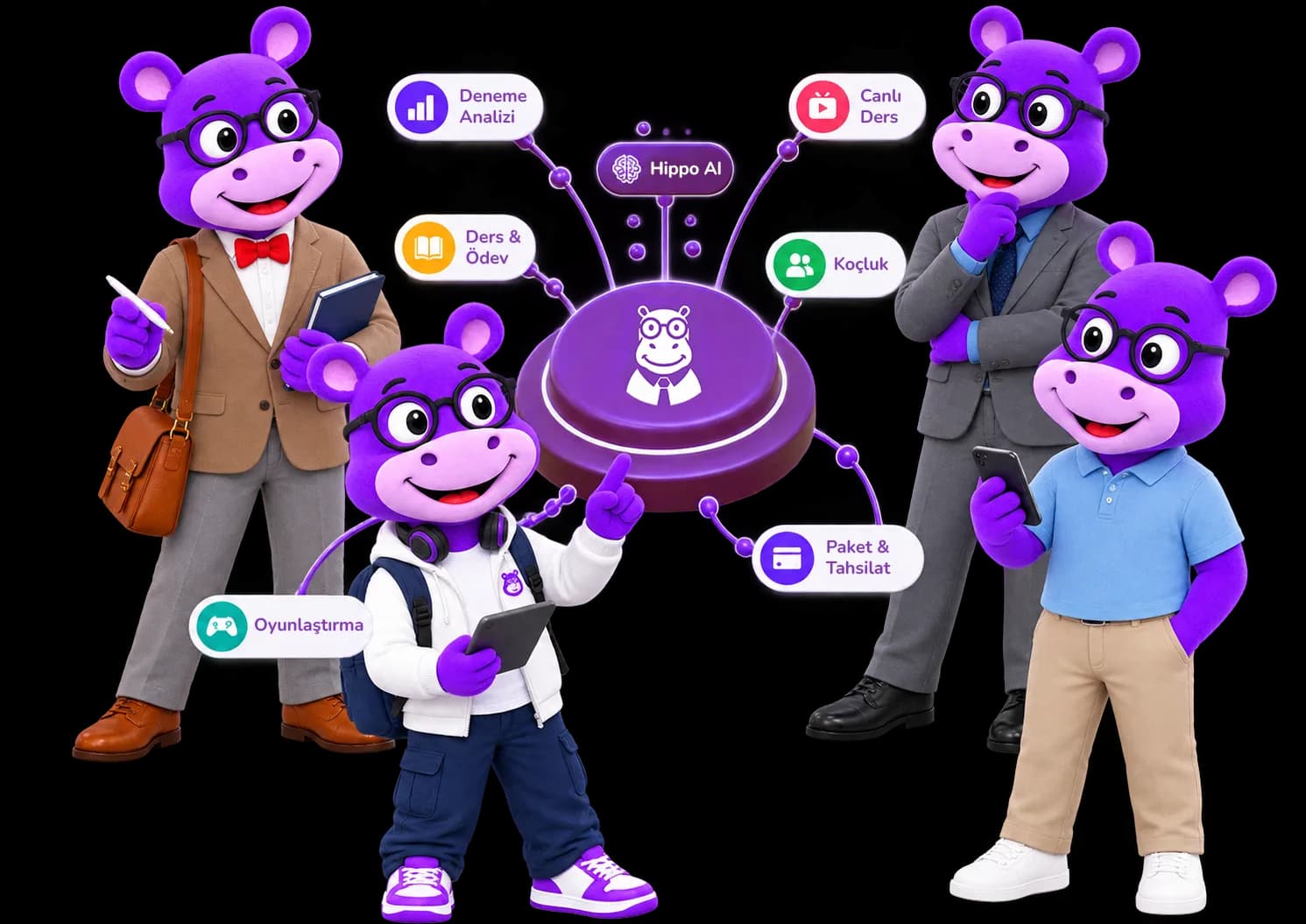
15 modules and what they do for institutions

Below, what each module does and how each role uses it, written out one by one.

Measure

What don't they know?

#01

Detailed Performance Analysis and Tracking System

Questions solved, time spent and mock results on one screen

When a mock exam result is entered, correct, wrong and blank answers open up down to the learning-objective level; questions solved, accuracy rate and time spent accumulate on the same screen. A teacher answers "why did this class drop on reading comprehension" by sorting the objective list, not by guessing. Weekly and monthly graphs show the same data along a time axis.

This module lives on:Exam Analytics

Usage by Roles

Student

Discover your personal strengths and weaknesses. See which topics you need to study more. Track weekly and monthly progress graphs and see how close you are to your goal instantly.

Teacher

Draw individual development maps for each student, see class average. Detect which topics are more difficult and optimize your teaching strategy accordingly.

Parent

Track your child's development with detailed reports. See which subjects they are successful in, which topics they need support in.

Manager

Monitor all branches, classes and students' performance from one screen. Make strategic decisions with data-driven reports.

Key Benefits

Detailed topic/outcome-based reporting
Progress tracking with time series analysis
Class average and individual comparisons
Automatic strong/weak area detection
Goal setting and tracking system
#13

Overall Success Score: One Score, Five Dimensions

Five dimensions, 14 sub-metrics, one 0-100 score

A student is measured across five dimensions instead of a single grade: academic (40%), social-emotional (25%), attendance (20%), habits (10%) and goal/career (5%). Those dimensions are fed by 14 sub-metrics and converge into one 0-100 score, recalculated every night. If a sub-metric has no data, its weight is not lost — it is redistributed among the metrics that do. When absences rise and study time falls, the score drops before the next mock result even arrives, and the teacher and coach are notified.

This module lives on:Overall Success Score

Usage by Roles

Student

See your own overall score, its five dimensions and its trend over time. Keep your score up to date by logging your mood check-ins and out-of-class study time.

Teacher

Get an automatic notification when a metric drops below a risk threshold, catching it early before it shows up in exam results. Monitor the scores of the students you're responsible for from one screen.

Parent

Track your child's overall score, its five dimensions and its trend, and get instant risk notifications.

Manager

See the scores of all students in your institution and monitor overall trends and risk distribution from one screen.

Key Benefits

5 dimensions (academic, social-emotional, attendance, habits, goal/career) combine into a single 0-100 score with fixed weights
The score recalculates automatically every night — it never goes stale
9 different threshold rules automatically catch risky declines, instantly notifying the teacher and coach
Missing data never unfairly lowers the score; weight is fairly redistributed to the other metrics that have data
Score visibility is tiered by role: everyone only sees the students within their authorization

Study

What should they do now?

#02

Smart Goal and Planning Module

Enter the target date, let the system split topics across weeks

Enter your target university, department and score, and the system splits the topics you still have to finish across the remaining weeks; the objectives you are weakest in move to the top of the list. The plan is not fixed — fall a week behind and the remaining tasks are redistributed. Daily task lists and reminders are generated from that plan.

This module lives on:Coaching

Usage by Roles

Student

Create personalized study plans based on your target university and department. Track your daily tasks, see your progress.

Teacher

Create curriculum plans for classes or individual students. Manage all students' goals centrally.

Manager

Coordinate education plans across the institution. Facilitate curriculum tracking.

Key Benefits

AI-powered automatic plan creation
Target university/department-based planning
Daily task lists and reminders
Flexible plan editing and updating
Progress tracking and motivation badges
#04

Exam and Homework Management System

You build the exam, the system grades it

Build a diagnostic test from the question bank, assign it to a class, and students take it online while multiple-choice answers are graded instantly. Classic, matching and true-false types are supported as well. The results screen shows which question the class got wrong most often, so you can go back to that objective. For homework, submission status is tracked and late submissions trigger an automatic notification.

Usage by Roles

Student

Take online exams, get instant evaluation of your answers. Submit homework on time, get feedback.

Teacher

Create exams from question banks, evaluate automatically. Digitalize homework processes.

Parent

Track your child's exam results and homework submission status.

Key Benefits

Automatic exam evaluation system
Multiple question type support
Question bank and pool management
Homework submission tracking and notifications
Detailed wrong analysis reports
#08

Pomodoro and Study Tracking System

Every 25-minute session is written to the analytics screen

Work in 25-minute focus and 5-minute break cycles; every session is recorded together with the subject it belongs to and flows into the analytics module. So "how many hours did I put into maths" becomes a record rather than a guess. Teachers read the same record to see who studies regularly.

This module lives on:Gamification

Usage by Roles

Student

Study with Pomodoro technique. Study hours are automatically recorded. Track your target hours.

Teacher

Report students' study times. Identify regular studiers.

Key Benefits

Pomodoro timer
Study statistics
Focus music
Goal setting system
Daily/weekly study reports
#09

Gamification and Cognitive Games

13 mini-games, XP, streaks and an in-school leaderboard

Every round earns XP, accumulated XP levels the student up, and the in-school leaderboard makes that visible. Between lessons there are 13 mini-games covering attention, memory, logic and quick thinking; score earns a Novice, Master or Legendary rank.

This module lives on:Gamification

Usage by Roles

Student

Earn badges for every success! Climb the leaderboard. Play brain games during breaks.

Teacher

See class leaderboard. Give special badges. Motivate with reward system.

Key Benefits

XP and level system
In-school leaderboard
13 cognitive mini-games
Daily streak tracking
Score-based rank badges
#14

AI-Powered Coaching

AI builds the plan, a human coach follows it through

Coaching works in two layers. AI builds your weekly plan from your gaps, your goal and your calendar; the exam goal (score, net, ranking) and the study goal (time, question count) are defined separately. A real human coach sits on top: on Premium your private tutor's referral code matches you automatically, on Elite you send a request to a coach you pick from the directory. Once approved, the coach schedules sessions and assigns homework and exams; your weekly and monthly progress report arrives by email and WhatsApp.

This module lives on:Coaching

Usage by Roles

Student

Follow your automatically generated weekly program, message your coach directly, and receive your weekly and monthly progress reports via email and WhatsApp.

Teacher

Plan sessions for the student you're matched with, assign homework/exams, see their full analysis and study program history, and track your monthly coaching earnings.

Key Benefits

AI automatically builds your weekly study program based on your gaps and goals
Matched with a real coach: automatic via referral code on Premium, request-and-approve via the coach directory on Elite
Your coach plans sessions, assigns homework/exams and sees your full progress history
Your weekly and monthly progress report reaches you via both email and WhatsApp
Even if your subscription pauses temporarily, your coaching record isn't deleted — it reactivates automatically once payment resumes

Manage

How does a teacher run the work?

#03

Content Library and Material Management

Videos, notes and 250,000+ questions in one place

Video lectures, summary notes, topic and diagnostic tests, and over 250,000 questions analysed against MEB/ÖSYM all sit in the same library. Teachers upload their own PDFs, videos and slides too, sort them into categories and choose which class can reach them.

This module lives on:Lessons and Homework

Usage by Roles

Student

Access video lessons, summary notes and a pool of over 250,000 MEB/ÖSYM-analyzed mock exam questions from one place.

Teacher

Upload your own materials, share with students, and manage access permissions.

Manager

Create institutional content pool. Manage all materials centrally.

Key Benefits

Video, document and test content collected in one place
Pool of over 250,000 MEB/ÖSYM-analyzed mock exam and diagnostic questions
Topic-based categorization
Teacher-uploaded materials with access permission management
Teacher-approved content
#05

Live Lesson and Video Conference Infrastructure

Zoom and Google Meet links are generated automatically

When you open a live lesson, the system generates a host link for you and a participant link for students on Zoom or Google Meet, and writes the lesson into your calendar. Record it if you want, so a student who missed it can watch later. The attendance list flows into the attendance score automatically.

This module lives on:Live Lessons & Mentoring

Usage by Roles

Student

Join live lessons with one click. Ask questions, interact. Watch missed lessons from recordings.

Teacher

Give HD quality live lessons via Zoom/Google Meet infrastructure. Record your lesson if you wish, with attendance tracked automatically.

Parent

See which lessons your child attended. Access lesson recordings.

Key Benefits

HD quality video and audio via Zoom / Google Meet infrastructure
Separate host/participant links for teachers and students
Automatic calendar sync and optional lesson recording
Attendance tracking that automatically flows into the attendance score
Watch missed lessons from the recording
#10

Smart Calendar and Appointment Management

Homework, exams and live lessons in one calendar

Homework deadlines, exam days, live lessons and private-lesson appointments collect in a single calendar that syncs with Google Calendar and sends a reminder for every upcoming entry.

This module lives on:Live Lessons & Mentoring

Usage by Roles

Student

See homework, exam and lesson programs in one calendar. Get automatic reminders.

Teacher

Add lesson programs to calendar. Manage appointments. Plan meetings.

Parent

View your child's entire academic program.

Key Benefits

Automatic activity synchronization
Smart reminder system
Appointment planning module
Google Calendar integration
Customizable views
#16

Class Timetable and Room Management

A conflict-free weekly schedule, with room occupancy alongside

The institution's weekly timetable is built with conflict checking: the same teacher, the same class or the same room cannot be booked twice at one hour. Available time slots are requested from the system, the same lesson is written to several days in bulk, and recurring series are defined. At the end of a lesson it is marked completed, cancelled or no-show; rooms belong to a branch and their occupancy is tracked over a date range.

This module lives on:Class Timetable

Usage by Roles

Key Benefits

Conflict checking across teacher, class and room before saving
Available time slot suggestions plus bulk and recurring session creation
Session statistics built from completed, cancelled and no-show marks
Rooms defined under a branch, with occupancy and statistics by date range

Grow

How is a parent convinced, how does the business grow?

#06

Integrated Communication and Messaging Platform

Teacher, student and parent in the same inbox

Teacher, student and parent message each other on the same platform; bulk announcements go to the class group, and files, images and voice notes are sent inline. A parent's "did they hand in the homework" does not get lost in a WhatsApp group — it stays searchable in the message history.

This module lives on:Parent & Teacher Tracking

Usage by Roles

Student

Ask questions to teachers. Do group studies with friends. Secure messaging.

Teacher

Communicate directly with students/parents. Make bulk announcements. Create group chats.

Parent

Communicate securely with teachers. Get instant notifications.

Key Benefits

Secure and encrypted messaging
Group chats and channels
File and media sharing
Instant notification system
Message history and search
#11

Finance and Payment Management

Who paid and who did not, on screen instead of in a notebook

Teachers see collected, pending and refunded payments from their private lessons separately and download a monthly income report. Parents pay in instalments and review their history. Payments are taken by credit or debit card through iyzico; if the card is saved, subscription charges recur automatically.

This module lives on:Packages and Billing

Usage by Roles

Teacher

Track income from private lessons transparently. Create automatic invoices.

Parent

See education fees. Make installment payments. Review payment history.

Manager

Manage institutional financial processes. View income-expense reports.

Key Benefits

Automatic invoice creation
Secure card payment with iyzico
Automatic recurring billing with a saved card
Income-expense reports
Installment options
#17

Budget and Financial Reporting

Collection is one side; expenses, payouts and profitability are the other

Income and expense entries are recorded with a category and a document. Pending student payments are collected in bulk and a mistaken record can be reverted; the same flow works for teacher payouts. A staff payment is created with a suggested amount. For a chosen date range the system produces a hierarchical financial statement, a collection status report and an income-expense report.

This module lives on:Budget and Finance

Usage by Roles

Key Benefits

Categorised income and expense entries; an invoice or receipt can be attached to each
Pending student collection and teacher payouts run in bulk and can be reverted
Separate breakdowns for income and expense categories
Hierarchical financial statement, collection status and income-expense report by date range

Hippo AI

Not a separate module; a layer running through the groups above.

#07

Question-Answer and Expert Support System

Send a photo of the question, get your teacher's solution

Photograph the question you cannot solve and send it, and your teacher answers step by step with text or a visual solution. Questions collect in the teacher's panel, it is clear who asked what, and answered ones stay in the archive.

This module lives on:Hippo AI

Usage by Roles

Student

Send photos of questions you can't solve. Get quick answers from expert teachers. Review visual solutions.

Teacher

Manage all student questions from one panel. Answer with text or visuals.

Key Benefits

24/7 question sending capability
Expert teacher support
Text or visual solutions
Step-by-step explanations
Question history and archive
#15

Hippo AI: Your Personal AI Assistant

One assistant, from solving questions to generating exams

Hippo AI is not a single feature: question solving, study planning, weekly progress reports and a messaging assistant are different faces of the same AI. Photograph or type the question you are stuck on and get a visual or text-based solution. The assistant only looks at data within your own authorisation, and if a question is ambiguous it asks you for more information instead of guessing.

This module lives on:Hippo AI

Usage by Roles

Student

Send the question you're stuck on by photo or by typing, get an instant solution. Ask natural-language questions like 'what homework do I have this week'.

Teacher

Build exams and screening tests from the 250,000+ question pool, assign them to a class or a single student, and let multiple-choice answers be graded automatically.

Key Benefits

Question solving, study programmes, weekly progress reports and the messaging assistant combine into one system
Get an instant visual or text-based solution to questions you send by photo or by typing
If the AI detects a question is ambiguous, it asks you for more information instead of guessing
Hippo AI only answers using data within your own authorization — it never goes beyond your access
When a student's AI allowance runs out the question lands in the teacher's "Question Solving" queue, so it never goes unanswered

The same ground under all of it

  • KVKK-compliant data processing
  • Institutions cannot see each other's data
  • Score views are logged with a timestamp
  • Role-based access is enforced on the server
  • Parent-to-parent and student-to-student messaging is blocked

Why Hippotenus?

Four things the platform does on the institution side.

Separate branches, one management panel

Each branch's data stays isolated and branches cannot see one another; the central panel compares which branch, class and teacher is ahead.

Four roles, one setup

Manager, teacher, student and parent accounts are opened from a single screen; student-parent linking is done centrally and login details are emailed automatically.

Risk distribution rolls up to the institution

The Overall Success Score rolls up across class, branch and institution, so you see how many students are at risk on one screen.

Data isolation and an access log

KVKK-compliant processing, role-based permissions and a sensitive-data access log: who viewed a student's success score and when is recorded.

Example scenarios

These are not real customer stories — they are illustrative examples of how the existing features come together in day-to-day use.

Example scenario

Manager of a three-branch tutoring centre

Monday morning mock comparison

Results from the weekend mock exam are entered on Monday morning. The manager sees all three branch averages side by side on one screen, notices that branch B is behind the others on reading-comprehension objectives, and opens an extra study session for that week. The same comparison used to be assembled by hand from three separate files.

Note from the team

Why we built it this way

We do not resend a critical alert on a second channel

If a parent has no WhatsApp number or has notifications turned off, we do not automatically reroute a critical alert such as an absence or a payment confirmation to another channel. That was a deliberate choice: each channel has its own template, and critical information shown in the wrong form does more damage than not being shown at all.

Hippotenus in numbers

What the platform currently holds

4
Roles on One Platform
Per Branch
Isolated Data
250K+
Question Pool
08:00-21:00
Daily Support

Ready? Start now.

Define your branches and see the first comparative report; we provide onboarding support during the switch.

No credit card requiredStart instantlyCancel anytime

Explore Enterprise Features One by One

Enterprise Features: Branch, Class and Teacher Management | Hippotenus